Meet the ESP32-S3-DevKitC
As an embedded developer, you have probably heard of the ESP32 at least once. It is affordable, capable, and easy to get. The S3 variant adds a faster dual-core CPU, native USB, and more GPIO — making it a solid choice for learning without spending much.
It also has Wi-Fi and BLE built in, which means the wireless examples later in this training need no extra hardware.
We use it here because it is practical — not because it is special. The Zephyr concepts you learn on this board apply identically on nRF52, STM32, or any other supported chip.
The board
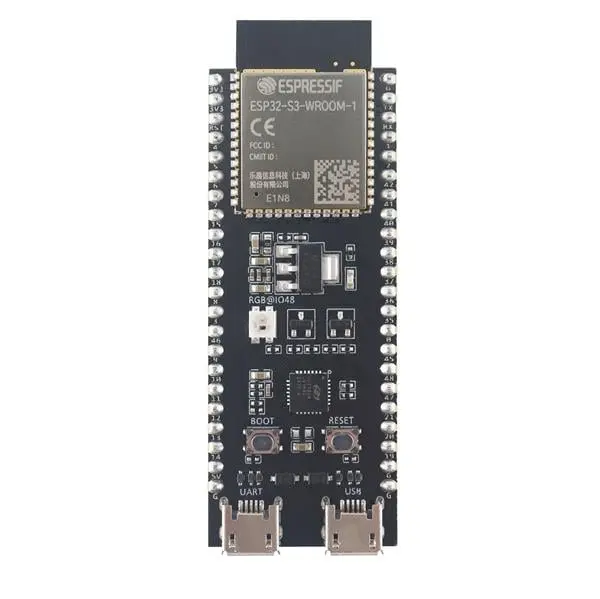
ESP32-S3-DevKitC — entry-level development board by Espressif
Key specs
| Feature | Detail |
|---|---|
| CPU | Dual-core Xtensa LX7, up to 240 MHz |
| RAM | 512 KB SRAM |
| Wireless | Wi-Fi 802.11 b/g/n + Bluetooth LE 5.0 |
| GPIO | 45 programmable GPIOs |
| Interfaces | 3× UART, 2× I2C, 2× I2S, 4× SPI |
| USB | USB Serial/JTAG + Full-speed USB OTG |
| RGB LED | 1× addressable WS2812 (GPIO48, via I2S) |
| Touch | 14 capacitive touch-sensing I/O pins |
West board target
In Zephyr, this board is identified as:
west build -b esp32s3_devkitc/esp32s3/procpu .
The qualifier /esp32s3/procpu selects the main application CPU (procpu). Every hands-on page has an ESP32-S3-DevKitC tab with the commands for this target.
The training also supports the EmbeddedFun board — see Meet the EFZ-ESP32S3 and pick its tab on any page.
On every Zephyr board page, scroll to the Supported Features section. At the bottom you will see a board target selector:
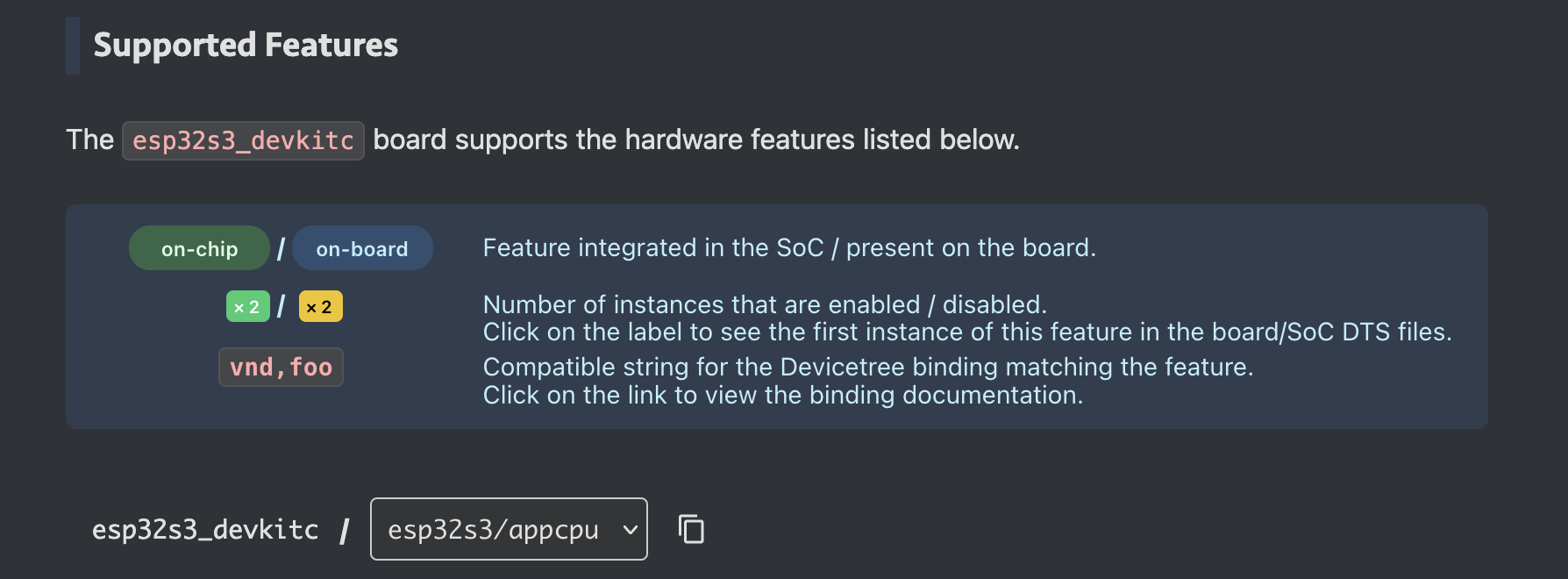
Use the dropdown to switch between available CPU targets, then hit the copy button to get the exact string for your west build -b command. No guessing, no typos.